Download TikTok Video No Watermark
Paste a public link to request an MP4 with no watermark. A clean copy is not always available.
Request a clean MP4
when available.
How to download a TikTok video with no watermark
Find an available public video and copy its link.
-
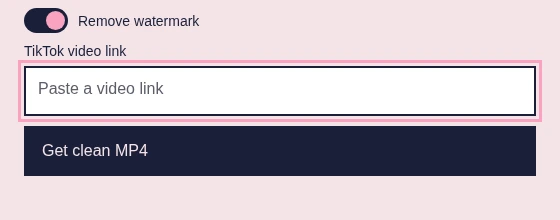
Paste a video link
Paste a public TikTok video link; keep Remove watermark on.
-
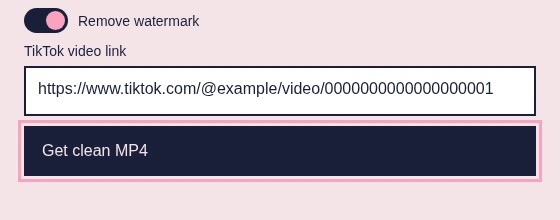
Get a clean MP4
Select Get clean MP4 to ask for a copy without the mark.
-
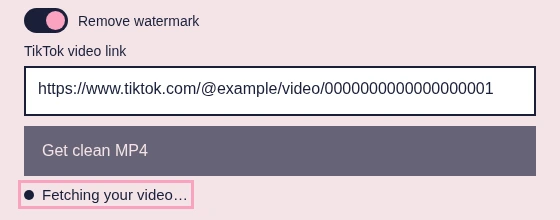
Wait a moment
Fetching your video… shows while the clean copy is checked.
-
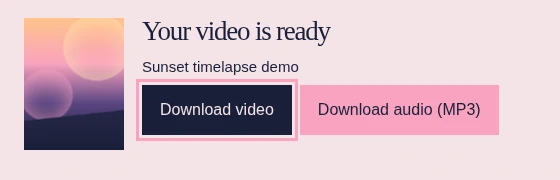
Download the video
Select Download video. No clean copy? Save the marked file.
Choose how to save
This site requests a clean copy when available, while TikTok’s Save video adds a watermark.
| This site | TikTok’s Save video |
|---|---|
| Clean MP4 if available. | TikTok saves it with a watermark. |
| Use from your browser. | Available in the TikTok app. |
| Save the sound as MP3. | Saves video, without an MP3 option. |
What we can’t do
- The linked video must be public and available.
- Some videos have no clean copy, only the marked file.
- Check one video link per request.
- No cutting, trimming, cropping, resizing, compression or quality controls.
To cut part of a saved video without re-encoding, use LosslessCut, a free video editor.
Questions
How is this different from TikTok’s Save video?
TikTok’s Save video works in the app and adds a watermark. This page requests a clean copy when available.
Why isn’t a clean version available?
A clean version is not available for every video. When unavailable, the page tells you and lets you request a version with a watermark.
What does the switch do?
Leave Remove watermark on to request a clean MP4. Switch it off if you want to request an MP4 with a watermark.
Does a private post work here?
No. The downloader cannot retrieve private or removed posts.
Can I re-upload a download?
Downloading a file does not give you the right to re-upload it. Ask the creator for permission and respect their rights.
Is it free, and are files stored?
The tool is free and needs no account. The site does not store files. Your browser saves the file to your device. See the Privacy Policy for details.
Request a clean video
Paste a public TikTok video link to check for a clean MP4.
Get clean MP4Updated